

Descripziun
Stop losing visitors to poor search results. SearchUs replaces WordPress’s basic search with fast, relevance-ranked search that helps visitors quickly find the right pages, products, documents, images, videos, and more. Instead of simple keyword matching, SearchUs delivers more relevant results, understands search intent, recovers visitors from dead-end searches and 404 pages, and gives you complete control over your site’s search experience.
Key Features
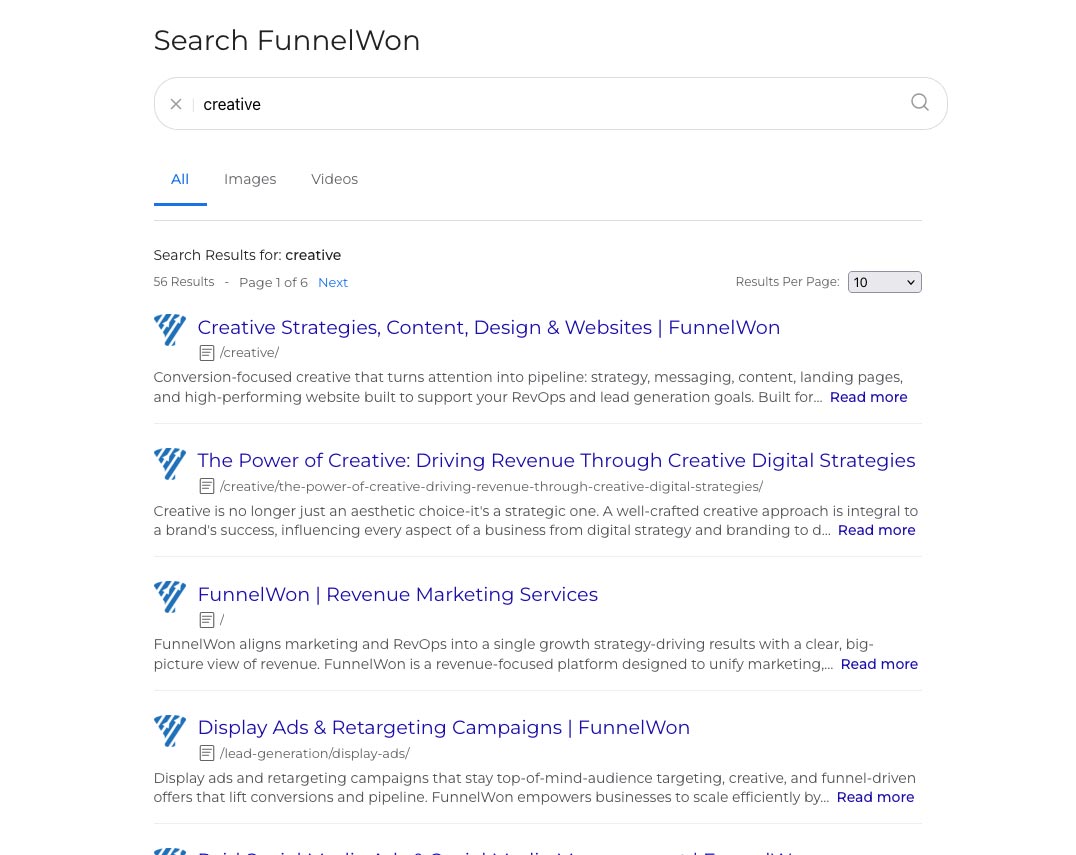
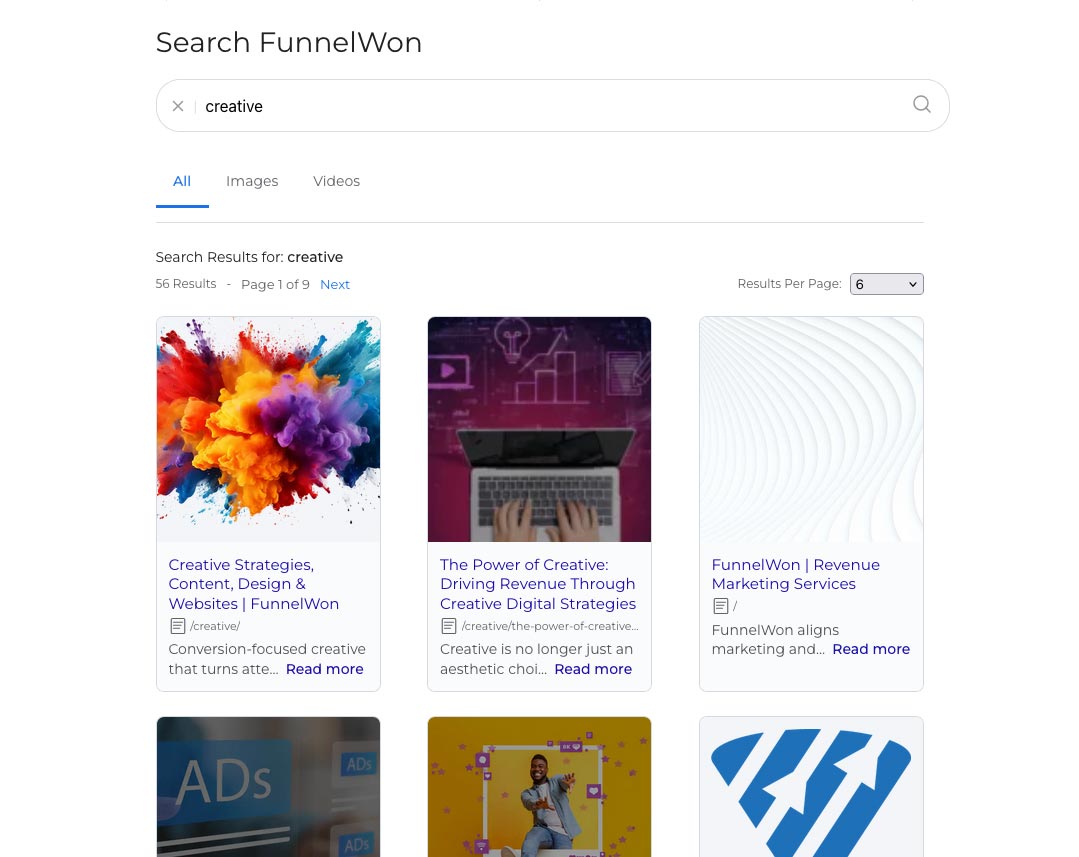
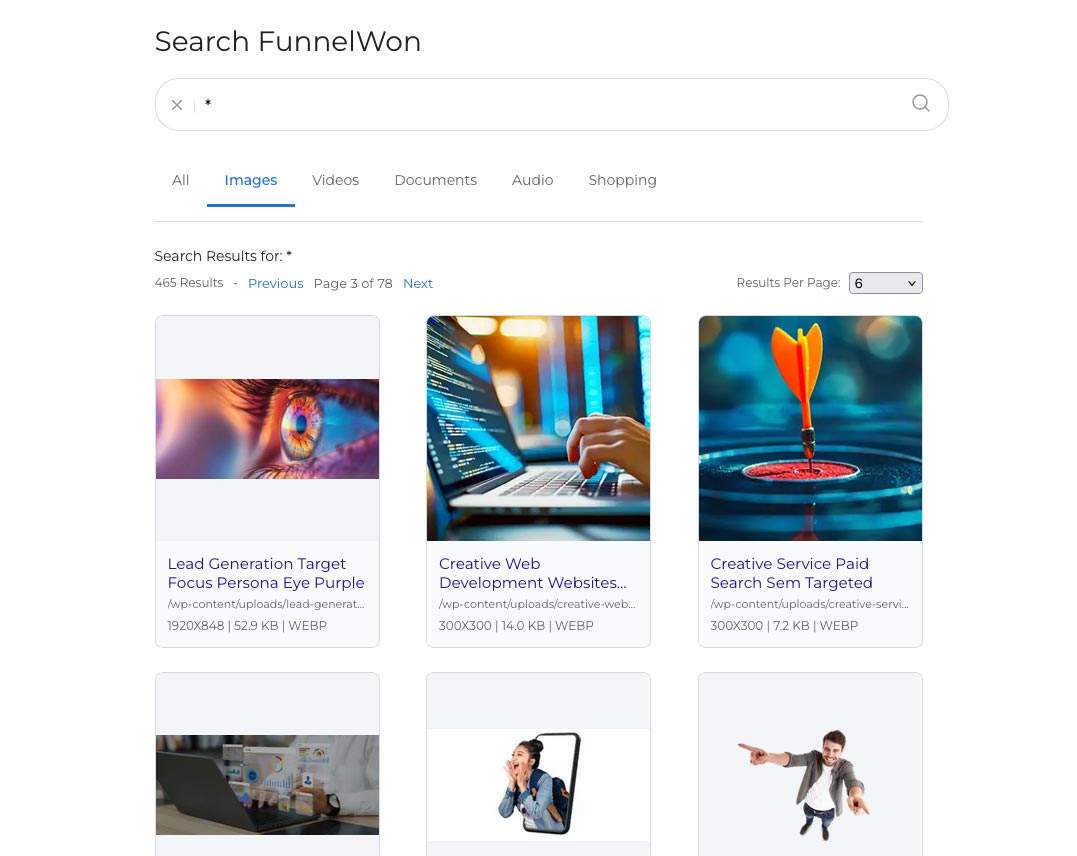
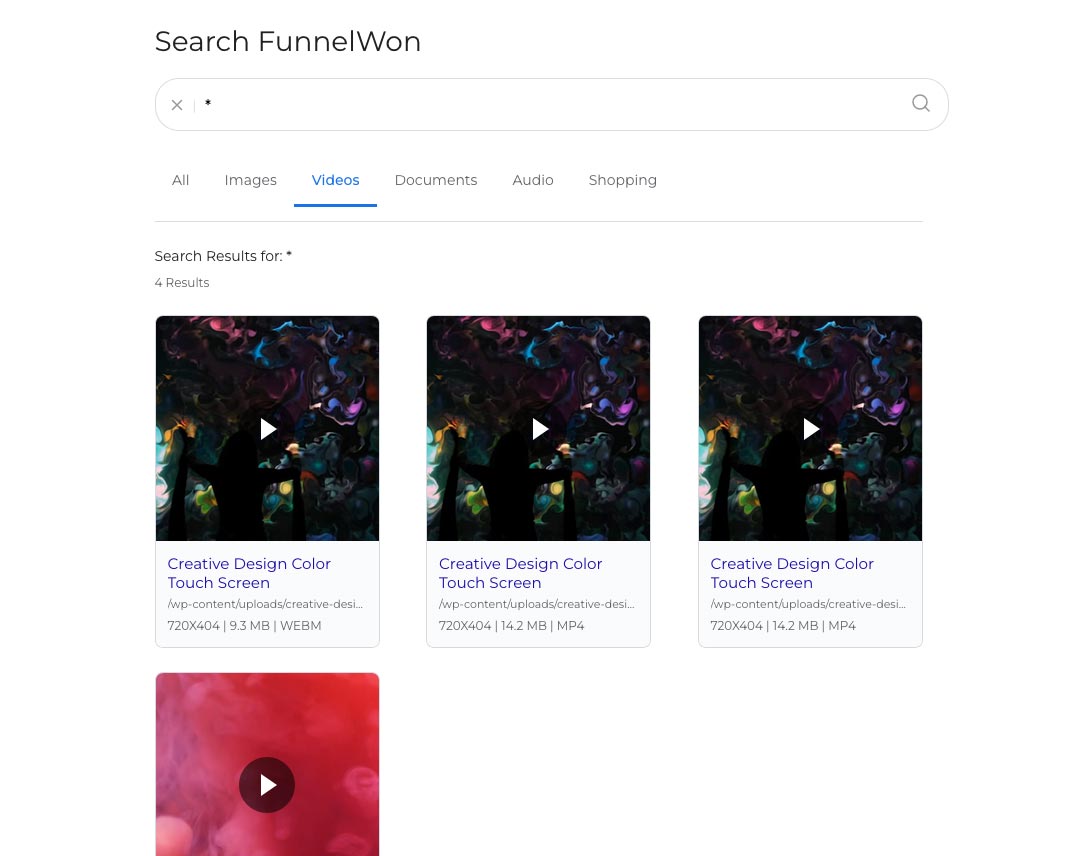
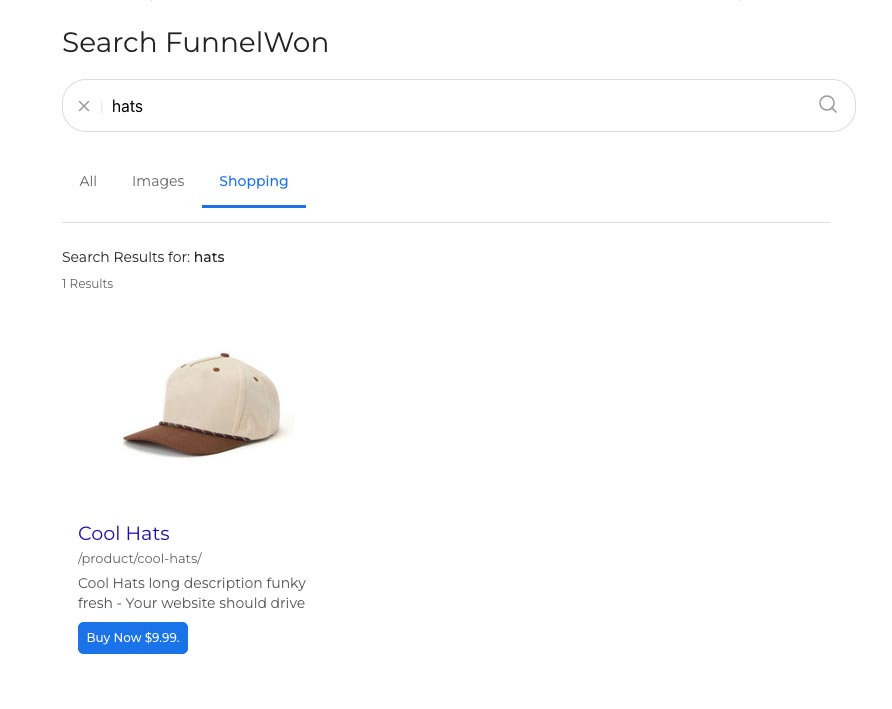
- Help visitors find exactly what they need – Replace WordPress’s basic search with fast, relevance-ranked results displayed on a dedicated search page. Organize results into tabs like All, Images, Videos, Documents, Audio, and Products, choose list or grid layouts, and seamlessly match your site’s existing header and footer.
- Recover visitors before they leave – Instead of showing a dead-end 404 page, automatically suggest the most relevant pages, posts, products, or media based on the requested URL, helping keep visitors engaged and reduce bounce rates.
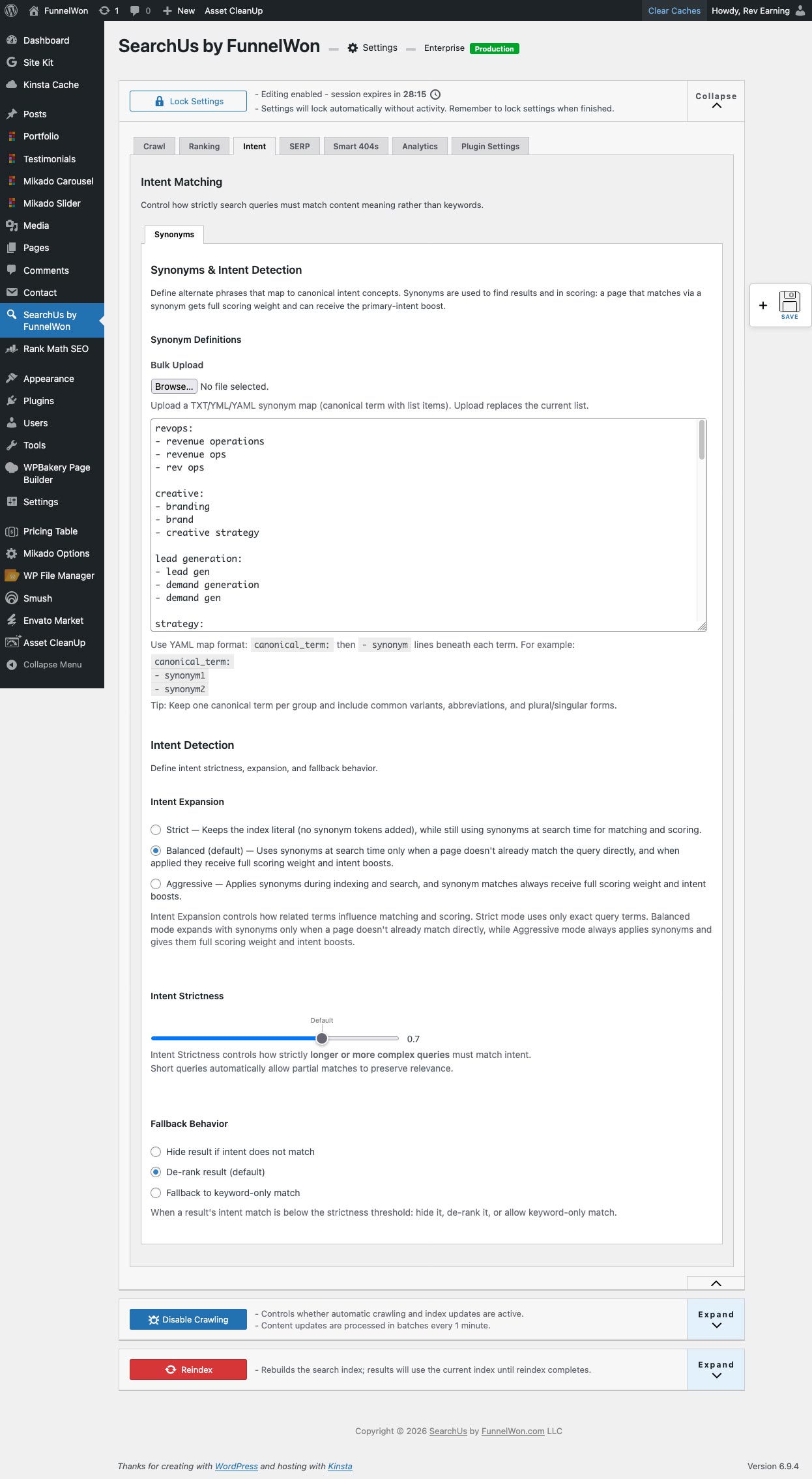
- Understand what people actually mean – Built-in synonym and intent matching connects searches to the right content, even when visitors use different terminology. For example, searches for “lead gen” can return content about “lead generation.”
- Reduce “No Results” frustration – When a search doesn’t find anything, SearchUs can suggest a better query with a helpful “Did you mean?” recommendation, keeping visitors searching instead of leaving your site.
- Deliver more relevant search results – Fine-tune how results are ranked by giving more importance to titles, headings, content, media, URLs, products, pages, posts, and more. Promote your most important content where it matters most, so visitors find your best resources first.
- Keep your search index automatically up to date – Crawl your site using your sitemap or a full site scan, automatically detect content changes, and refresh your search index. Exclude pages, URLs, or specific page sections you don’t want indexed for greater control.
- Search more than just pages – Index and search images, PDFs, documents, videos, audio files, WooCommerce products, and other media. Display rich product results with optional Buy Now buttons for eligible WooCommerce products directly from search results.
- Promote important content – Highlight featured pages, announcements, products, or campaigns by inserting promoted results into search results, helping drive visitors toward your highest-value content.
- Protect your search experience – Prevent accidental configuration changes with settings lock, reduce abusive search traffic using optional local rate limiting, and block junk or automated scanner searches before they consume API requests.
- Designed for growing websites – Whether your site contains dozens or thousands of pages, SearchUs scales with your content while keeping search fast, organized, and easy for visitors to use.
Options
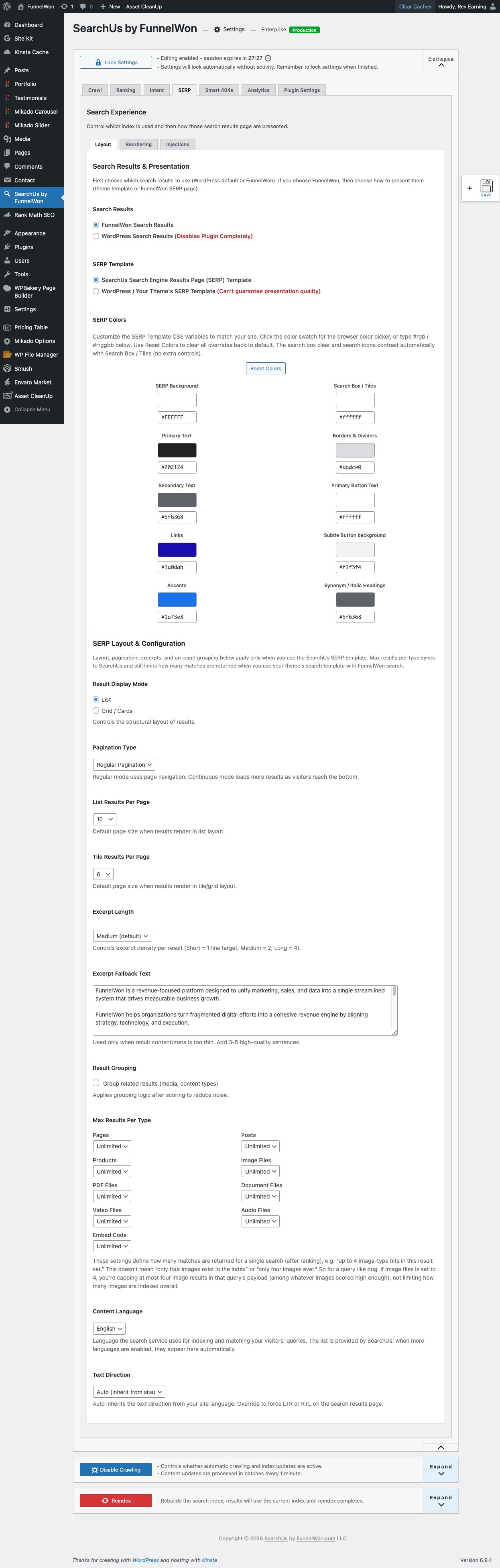
- Use the SearchUs search results page (default) or „default WordPress results“ so your theme’s search template shows our results.
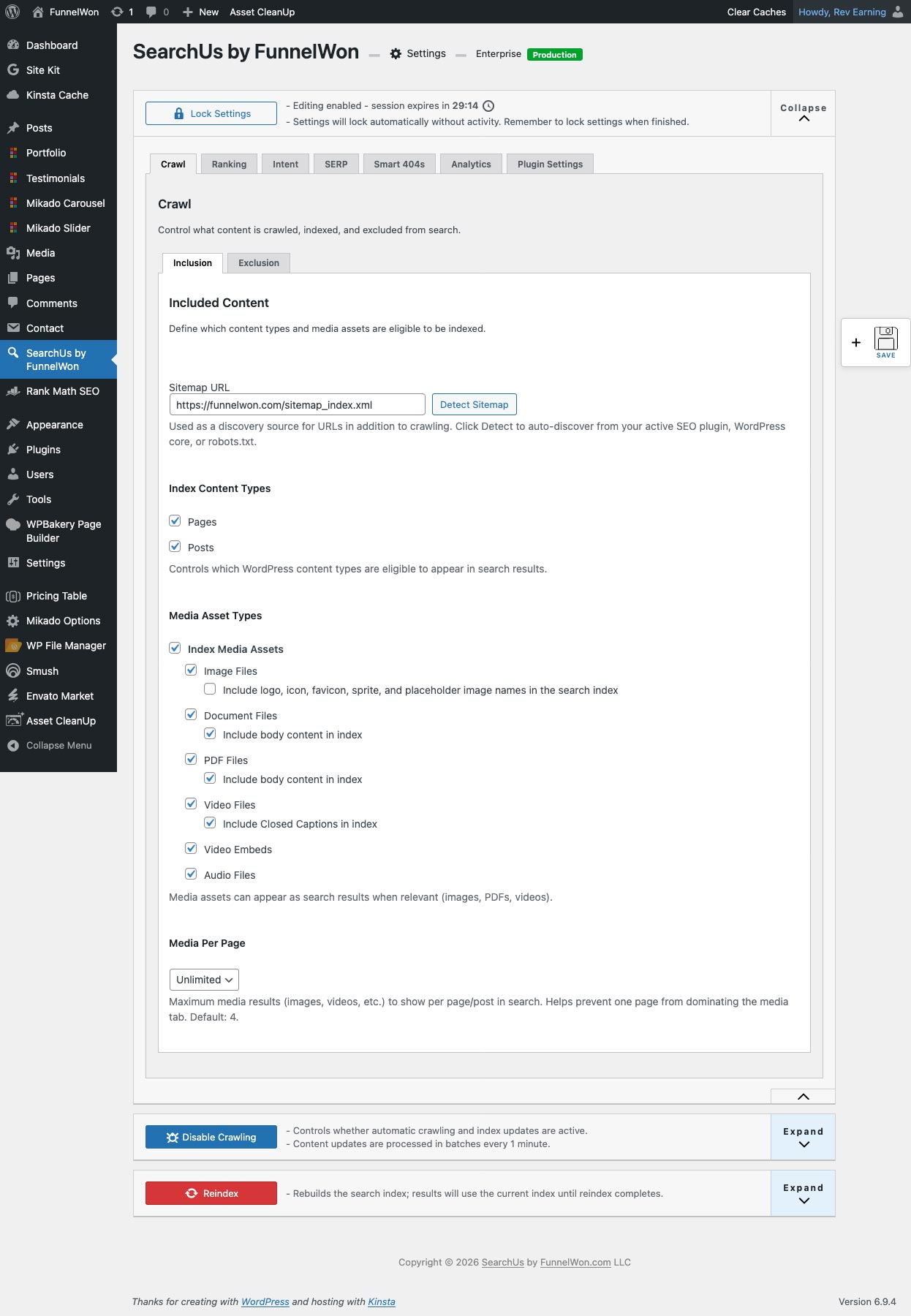
- Choose which post types and media types to index, exclude URLs or DOM areas, and tune SERP layout (list/grid, excerpt length, results per page, WooCommerce Buy Now destination) and ranking from the same settings screens on all plans.
Requires PHP 7.4+. Free plans include “Search powered by FunnelWon” attribution on results where the API returns it; paid plans may remove attribution per license. No remote code execution. After license activation, the plugin communicates with FunnelWon’s API for indexing, visitor search results, and license handling; usage counters support plan limits on the service. No third-party advertising or behavioral-tracking scripts for FunnelWon’s benefit.
External services
This plugin connects to FunnelWon SearchUs (hosted API and account dashboard at https://searchus.funnelwon.com). Use of the service is subject to our Terms and Privacy (links below).
When data is sent
- License activation / validation – When you enter or refresh an API key (and on periodic checks the plugin performs).
- Indexing – When you run a full reindex, delta/index push, or auto-crawl sends content to build or update the remote index.
- Visitor search – After activation, each real visitor search query is sent to
POST /v1/queryso the service can score results and apply plan limits (unless blocked locally as junk; see below). - Usage and configuration – When the admin loads usage, reindex eligibility, or optional cloud settings backup/sync features you use.
What is sent (summary)
- Site URL, API key, plugin version, site identifier, and technical headers needed for authentication and plan routing.
- Content and metadata you enable for indexing (titles, body areas, headings, product fields, media alt text, filenames, etc.).
- Visitor search query text for live search (not used for third-party advertising).
- Aggregated usage for quotas (e.g. query counts, indexed URL counts, reindex allowance).
What stays on your server
- Optional SearchUs analytics (if enabled) is stored in your WordPress database only.
- Query guard (
core/query-guard.php) evaluates queries locally and does not send obvious bot/scanner probes to the API or third parties. - A search result cache (transients) may store recent API responses locally for performance; it is not shared with advertisers.
Legal
- Terms of Service: https://searchus.funnelwon.com/tos/
- Privacy Policy: https://searchus.funnelwon.com/privacy/
For more detail, see the Privacy section below and the in-plugin FAQ.
Privacy
Licensing and API
When the plugin contacts FunnelWon’s (SearchUs) services—for license validation, indexing, search results, or configuration sync—it may send your site URL, API key (if you have entered one), plugin version, and other technical data needed to operate the service. Your site URL is used among other things to apply your plan and allowed environments (for example production, staging, and development URLs permitted under your license). After you complete license activation, indexing and visitor search send the content and metadata described in the plugin and settings (e.g. pages, posts, products) and each search query to the API as needed to build the index and return results; see the Description and External services sections above. Before activation, those API-backed search flows are not used for front-end ?s= requests.
Support (information you choose to share)
If you contact support, we may ask you to share diagnostic details so we can reproduce issues and spot conflicts—for example your hosting provider or environment, active WordPress theme (name and version), and list of active plugins, often by pasting Tools Site Health Info from your admin. You decide what to send; we use it only to troubleshoot (including cache and plugin conflicts) and improve compatibility. Unless a future feature clearly discloses it and asks for consent, the plugin does not automatically upload your theme or full plugin list to us solely for support.
What the plugin sends automatically (no separate ad or marketing profile)
- Site identity and licensing: your site URL (and any staging/dev URLs your license allows), API key if you enter one, plugin version, and related technical fields so we can validate the license, apply plan limits, and route API requests.
- Indexing: text and metadata from the content types you enable (e.g. titles, excerpts, body areas, headings, product fields, image alt text, file names)—only what is needed to build and update the search index.
- Search: each visitor search query is sent to the service to compute results once license activation is complete (same as any hosted search). Until an API key is stored after activation, front-end
?s=search uses WordPress’s built-in search and is not sent to SearchUs for ranking. Queries are not used for third-party advertising; they are processed to return search results and for plan usage (e.g. query volume limits) where applicable. - Optional in-plugin analytics (if you turn it on): aggregated search and click metrics stored on your WordPress site in its database, as described in settings. A first-party cookie may be used for deduplication. This analytics data is not sent to FunnelWon for advertising; it stays on your server unless a future feature clearly says otherwise.
What we do not do
- We do not sell your site URL, license details, index payloads, search queries, or support diagnostics to third parties for advertising or to build ad profiles.
- The plugin does not load third-party advertising or behavioral-tracking scripts for FunnelWon’s benefit.
- We do not automatically upload your theme name, plugin list, or Site Health dump—only what you choose to send if you contact support.
Personal data (PII) in plain language
SearchUs is not designed to collect visitor identities for marketing. However, search queries can contain anything a visitor types, and indexed content may include names, emails, or other data you published on the site—those flows are part of normal search and indexing, not a separate “PII harvesting” feature. If you are a data controller for your site’s visitors, you should describe SearchUs in your privacy policy (and comply with applicable law). FunnelWon’s own handling of data received through the service is described in our policies below.
Terms of Service and Privacy Policy
Use of the hosted SearchUs service is governed by our Terms of Service and Privacy Policy on the SearchSaaS dashboard site:
- Terms of Service: https://searchus.funnelwon.com/tos/
- Privacy Policy: https://searchus.funnelwon.com/privacy/
For retention, security, legal bases, subprocessors, and other details, see the Privacy Policy link above. That policy governs FunnelWon / SearchUs as the service provider; your site still needs its own policy where required. The Privacy Policy is also published at https://funnelwon.com/privacy/ for convenience.
Third-party libraries
The plugin bundles Driver.js (https://github.com/kamranahmedse/driver.js) under the MIT License for the in-admin setup walkthrough. Source is included under admin/vendor/driver/.
Maletgs dal visur


Installaziun
- Upload the plugin folder to
/wp-content/plugins/(for examplesearchus/) or install via Plugins Add New. - Activate the plugin. Complete free or paid license activation in SearchUs settings (register or paste an API key). The plugin creates a Search page; after activation, search and indexing use the SearchUs API as described in Privacy and External services. Until activation, visitor
?s=search stays on WordPress’s built-in search. - In the WordPress admin sidebar, open SearchUs – Site Search + Smart 404 Recovery to lock settings, run a full reindex, and configure SERP, ranking, and Smart 404.
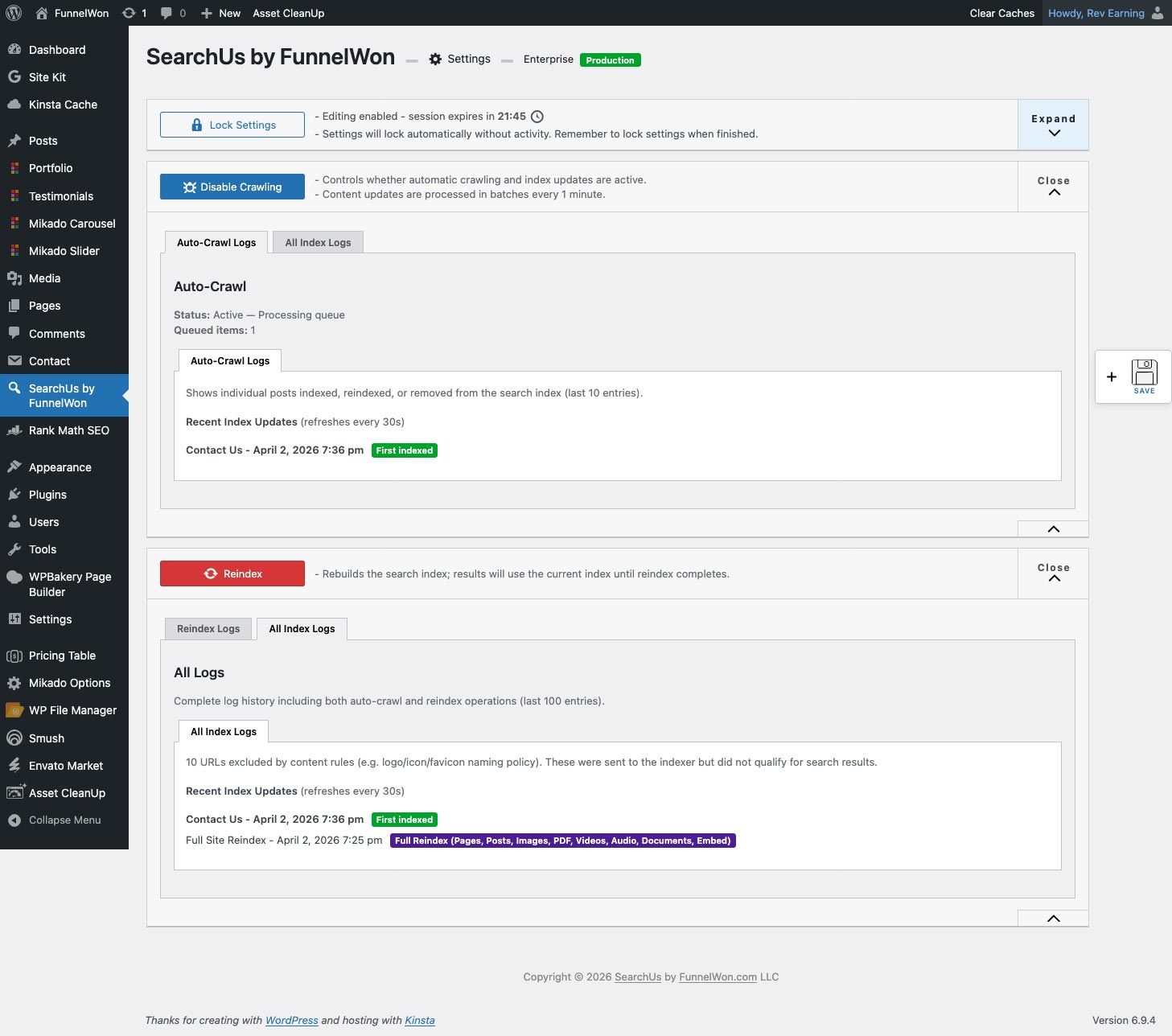
- Run „Full site reindex“ at least once so the index is built. After that, optional auto-crawl can keep it updated.
Before the first successful reindex: With license activation complete and SearchUs handling visitor search (the default), searches are sent to the SearchUs API. If nothing has been indexed yet, visitors often see no results—the plugin does not switch back to WordPress’s built-in search in that mode. Run a full reindex as soon as setup allows. If you need core WordPress search until indexing finishes, choose Use default WordPress results page under SERP Layout in settings.
FAQ
-
Do I need to reindex?
-
Yes. Run a full site reindex from the plugin admin (Plugin Settings Reindex / crawl area) after activation and when you add or change a lot of content. Optional auto-crawl can then keep the index updated when you publish or update posts/pages.
After your license is activated, visitor search uses the SearchUs API (unless you chose “default WordPress results” under SERP Layout). Until the first full reindex has completed, many sites will show empty search results—that is expected, not a fallback to WordPress’s native search. Complete a full reindex to populate the service index; use the default WordPress results option temporarily if you need the theme’s normal search while indexing is still running.
-
Can I use my theme’s search template?
-
Yes. Under SERP Layout, choose „Use default WordPress results page.“ After license activation, we still supply the results and ranking via the API; your theme controls the layout. Attribution may appear on the free tier per your license and API response.
-
What is Smart 404?
-
When a visitor hits a 404, the plugin can show „similar“ results derived from the URL (e.g. missing product or page). Enable it under Smart 404s in settings.
-
Does it work with WooCommerce?
-
Yes. Enable the product post type for indexing under Crawl Inclusion. Product caps and ranking multipliers are under Ranking. On the SearchUs SERP template, SERP Layout Ecommerce Config controls the Buy Now button for simple in-stock products (checkout, cart, or off). Variable and grouped products link via the product title; external/affiliate products can show an external buy link. Buy Now requires published WooCommerce Cart and/or Checkout pages. Stock and price on the button are refreshed when search results load.
-
What data is sent to SearchUs by FunnelWon?
-
See Privacy and External services. In short: your site URL, API key (if any), plugin version, and data required for indexing/search/API are transmitted after activation as part of the service. Theme, hosting, and plugin lists are not sent automatically for support—you may be asked to provide those manually if you open a ticket. Junk scanner queries are blocked locally and are not sent.
-
What are the minimum requirements?
-
- WordPress 5.9 or higher (see header above for the “Tested up to” value).
- PHP 7.4 or higher (see header above).
- Outbound HTTPS connectivity from your server to FunnelWon’s SearchUs API for license activation, indexing, and visitor search once setup is complete.
- A modern hosting stack;
curlor equivalent is used via WordPress HTTP APIs.
MySQL/MariaDB versions follow WordPress core requirements for your WordPress version.
-
What does “Tested up to” mean?
-
The Tested up to value in the plugin header is the latest WordPress release the authors have smoke-tested with this plugin version. Use a current, supported WordPress version on your site.
-
Why do I need license activation for search and indexing?
-
SearchUs is a hosted search service: indexing and ranked results run against FunnelWon’s API after a free or paid API key is stored. Until you finish activation, front-end search requests use WordPress’s default search so visitors are not routed through SearchUs for
?s=results. -
Is this plugin a fork of another search plugin?
-
No. SearchUs by FunnelWon is developed and maintained by FunnelWon. It is not a fork of any plugin or other third-party search plugins.
-
Do you offer paid plans? What changes when I upgrade?
-
This is one plugin with the same settings UI on every plan. Upgrading means a FunnelWon / SearchUs license with higher service quotas, for example:
- More indexed URLs (index cap on the API).
- Higher monthly search queries (and, on paid production sites, optional metered overage per your subscription).
- More frequent full reindexes when your plan allows (the service returns allowance and retry timing in usage/API responses—not hidden timers in the plugin).
- Attribution removal on results where your paid license and API response allow it.
Ranking weights, intent, media extraction, SERP injections, reordering, and multi-user mode remain available in the plugin; the service applies your saved configuration when processing search and indexing. For plan comparison and pricing, see https://searchus.funnelwon.com/
-
Where can I find documentation?
-
Product and setup information are published on FunnelWon (see the Author link above). The in-plugin FAQ panel and settings descriptions explain individual controls. For WordPress.org installs, use the plugin’s support forum for general questions.
-
Will it work with my theme?
-
In most cases, yes. After license activation, the plugin adds a dedicated search page template and can redirect normal WordPress search (
?s=) to it, or you can use default WordPress search results so your theme’s search template wraps our results (see SERP Layout). You may need minor CSS adjustments so the search page matches your theme. Themes that heavily override search or use unusual routing should be tested after installation. -
Where can I report bugs, request features, or get help?
-
- WordPress.org users: use the plugin’s Support tab / forum on this listing.
- License customers: use the support channel provided with your SearchUs by FunnelWon subscription (see https://searchus.funnelwon.com).
When reporting issues, include WordPress version, PHP version, active theme, and (if asked) a paste of Tools Site Health Info—see the Privacy section.
Reviews

Contributors & Developers
“SearchUs – Site Search + Smart 404 Recovery” is open source software. The following people have contributed to this plugin.
Contributors
Translate “SearchUs – Site Search + Smart 404 Recovery” into your language.
Interested in development?
Browse the code, check out the SVN repository, or subscribe to the development log by RSS.
Changelog
1.0.2
- Updated plugin description on WordPress.org.
1.0.1
- Fix license activation on hosted staging/preview URLs (Kinsta, WP.com staging, and similar).
- Fix activation verify URL on sites using plain permalinks (uses /fw-si-v-{token}/ path instead of ?page_id=).
1.0.0
- Initial release: SERP page template, redirect, Smart 404, intent/synonyms, ranking and media controls in admin, „Did you mean?“, crawl/reindex, URL and DOM exclusions, settings lock, optional local rate limits and junk-query guard. PHP 7.4+ supported via polyfills.
- WordPress.org compliance: all plugin settings available on every plan; plan limits (indexed URLs, monthly queries, reindex allowance, attribution) enforced by the SearchUs API only. Readme and External services documentation updated accordingly.