

Descripziun
Vanquish Upload Files for WooCommerce lets you collect files from your customers — logos, artwork, documents, photos — exactly where you need them: on the product page, in the cart, during checkout, or on the order details page.
Whether you run a print shop, a personalization service, or any store that sells custom products, this plugin makes it effortless for customers to provide the input you need to fulfil their orders, with a clean upload experience and a real-time progress bar.
Why store owners choose it
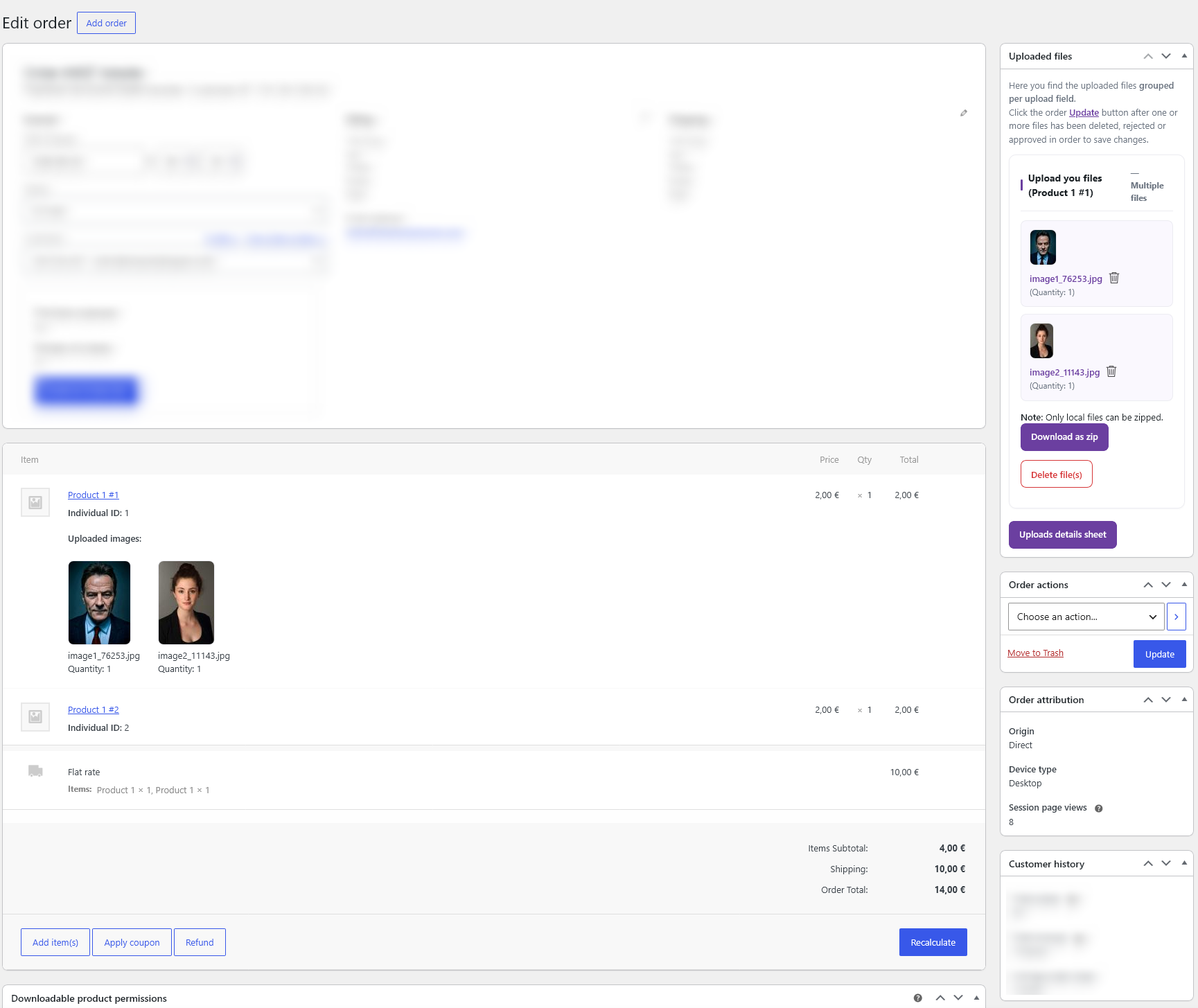
- Receive uploads bound to each order — no more chasing files over email.
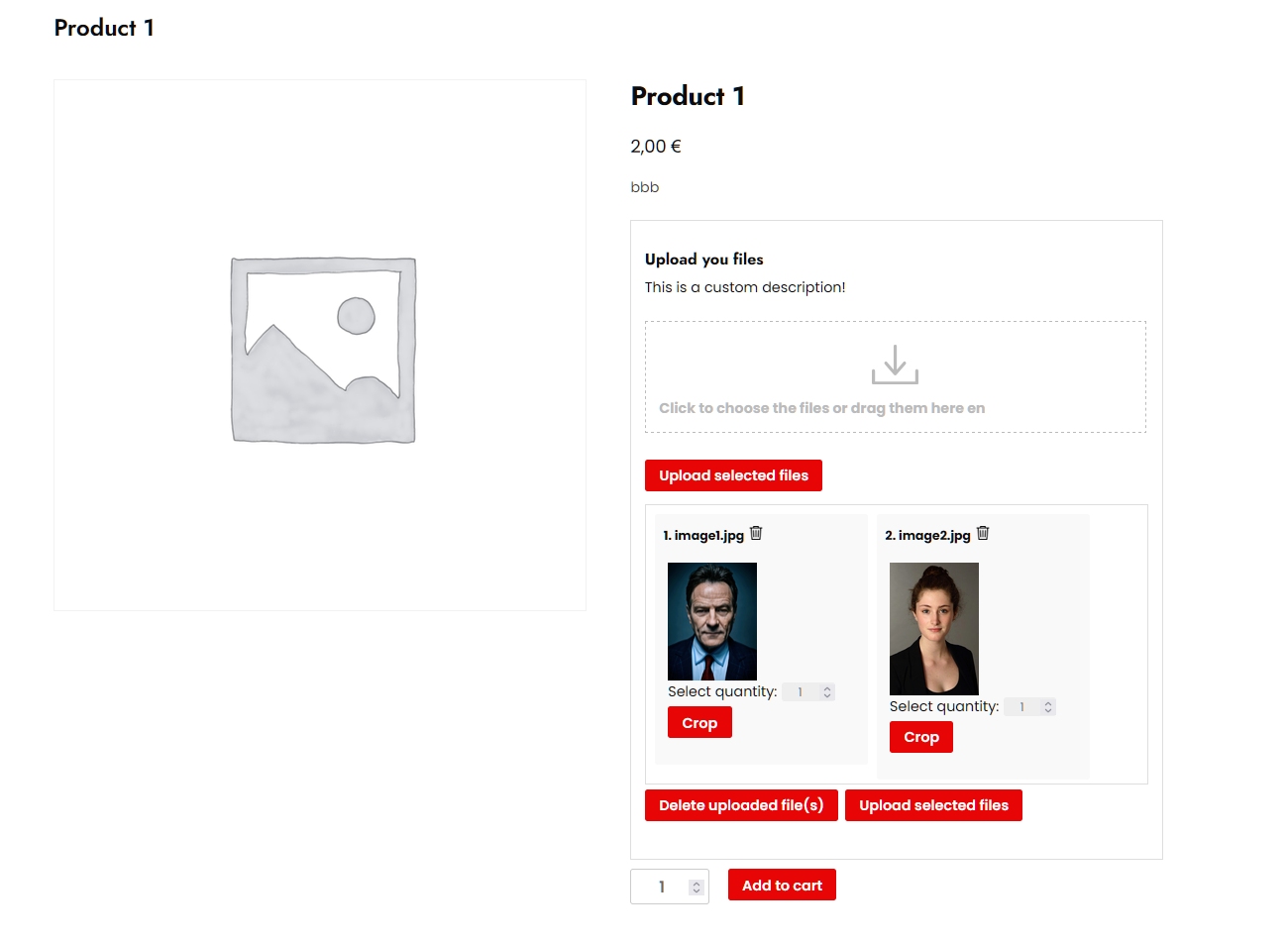
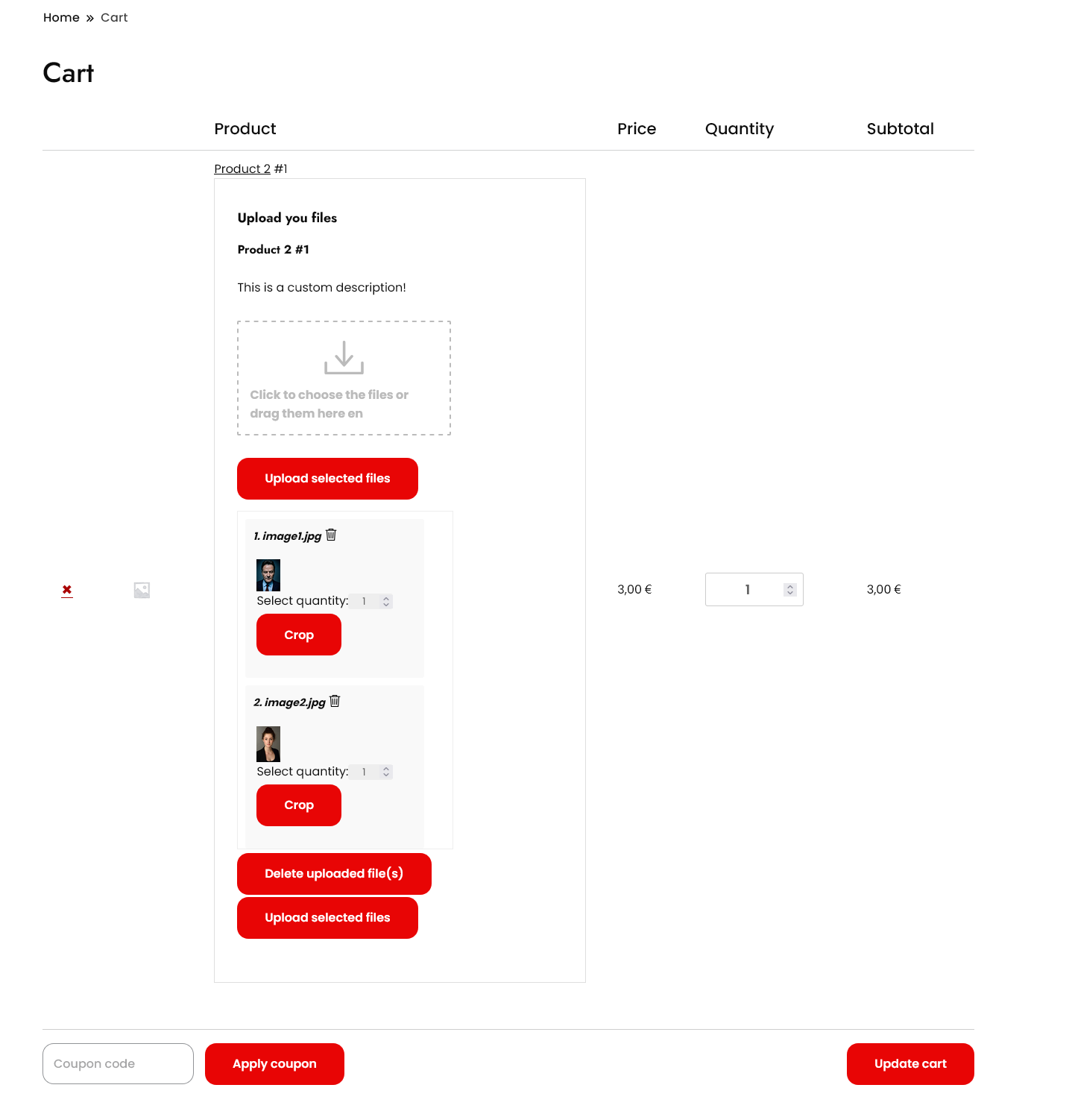
- Show upload fields exactly where they make sense: product, cart, checkout, order pages.
- Make uploads required so customers can’t order without providing their files.
- Restrict by file type, size and image dimensions.
- Get notified by email the moment a customer uploads a file.
- Fully translatable, WPML-ready.
What’s included for free
What the free version includes:
- Multiple upload fields per product
- Single file per upload field
- Display on product, cart, checkout and order pages (classic and block-based cart & checkout)
- Individual products — add the same product multiple times with distinct uploads
- Required-upload enforcement (blocks add-to-cart / checkout)
- File type, size and dimension restrictions
- Admin email notifications
- Upload progress bar, file delete, image/audio/PDF preview
- WPML-ready translatable button texts
Premium features
The Premium version, distributed separately, adds:
- Multiple files per upload field — let customers attach several files to a single field
- Image crop editor with rotation and aspect-ratio control
- Extra costs & discounts per uploaded file — fixed or percentage
- Per-second (audio/video) and per-PDF-page overcharge
- Set the product price by the number of uploaded files
- Cloud storage: Dropbox, Amazon S3 and Google Drive
- Approve / reject uploaded files with customer feedback
- Visibility rules by product, category, user role, order status, payment gateway, shipping method and time
- Display last order upload fields on the My Account dashboard
- Advanced shortcodes to place upload forms anywhere
- Priority support and updates
External services
This plugin connects to the following third-party services.
Freemius — Used to deliver plugin updates, manage the optional Premium license, and (only if you opt in) collect anonymous usage data to help improve the plugin. Your site URL and basic environment information are sent to Freemius when you activate the plugin, check for updates, or activate/deactivate a license. Provided by Freemius, Inc.
Terms of Service: https://freemius.com/terms/
Privacy Policy: https://freemius.com/privacy/
Cloud storage (Premium only) — The free version stores uploaded files on your own server and uses no external storage. If you enable a cloud storage destination in the Premium version, the files your customers upload are sent to the storage account you configure, and only at the moment an order is created (when the customer reaches the order-received/thank-you page, or uploads files on the thank-you or order details page). Files are never sent before an order exists. Available providers and their policies:
- Dropbox — Terms: https://www.dropbox.com/terms — Privacy: https://www.dropbox.com/privacy
- Amazon S3 (AWS) — Service Terms: https://aws.amazon.com/service-terms/ — Privacy: https://aws.amazon.com/privacy/
- Google Drive — Google APIs Terms: https://developers.google.com/terms — Privacy: https://policies.google.com/privacy
Maletgs dal visur
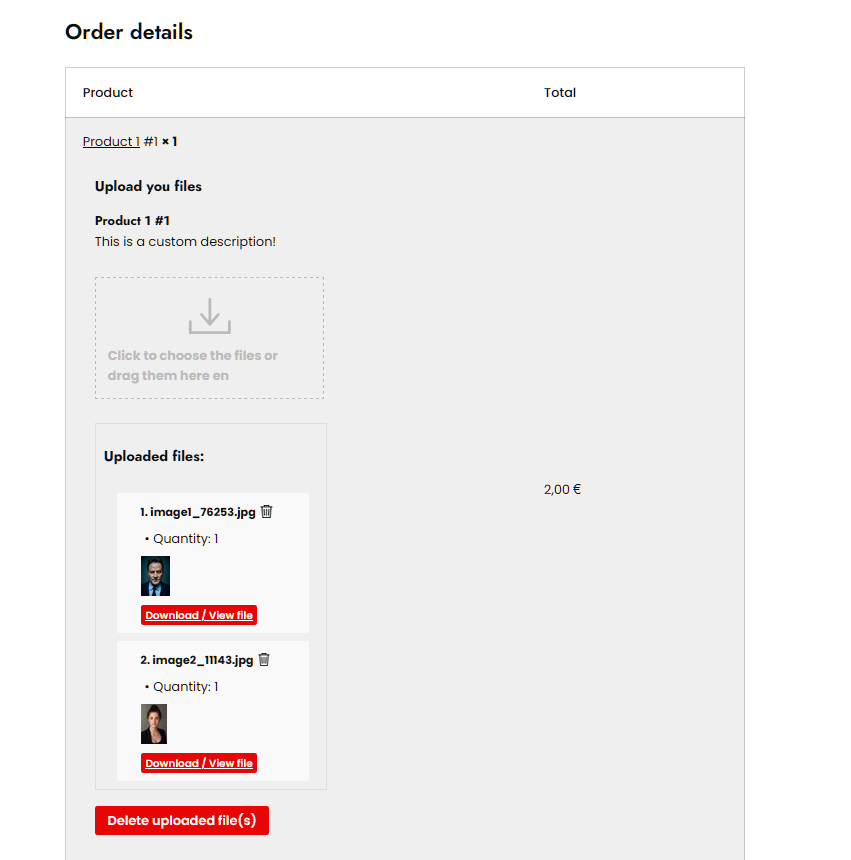

Installaziun
- Upload the plugin files to the
/wp-content/plugins/vanquish-upload-files-for-woocommercedirectory, or install the plugin through the WordPress Plugins screen directly. - Activate the plugin through the ‚Plugins‘ screen in WordPress.
- Make sure WooCommerce is installed and active.
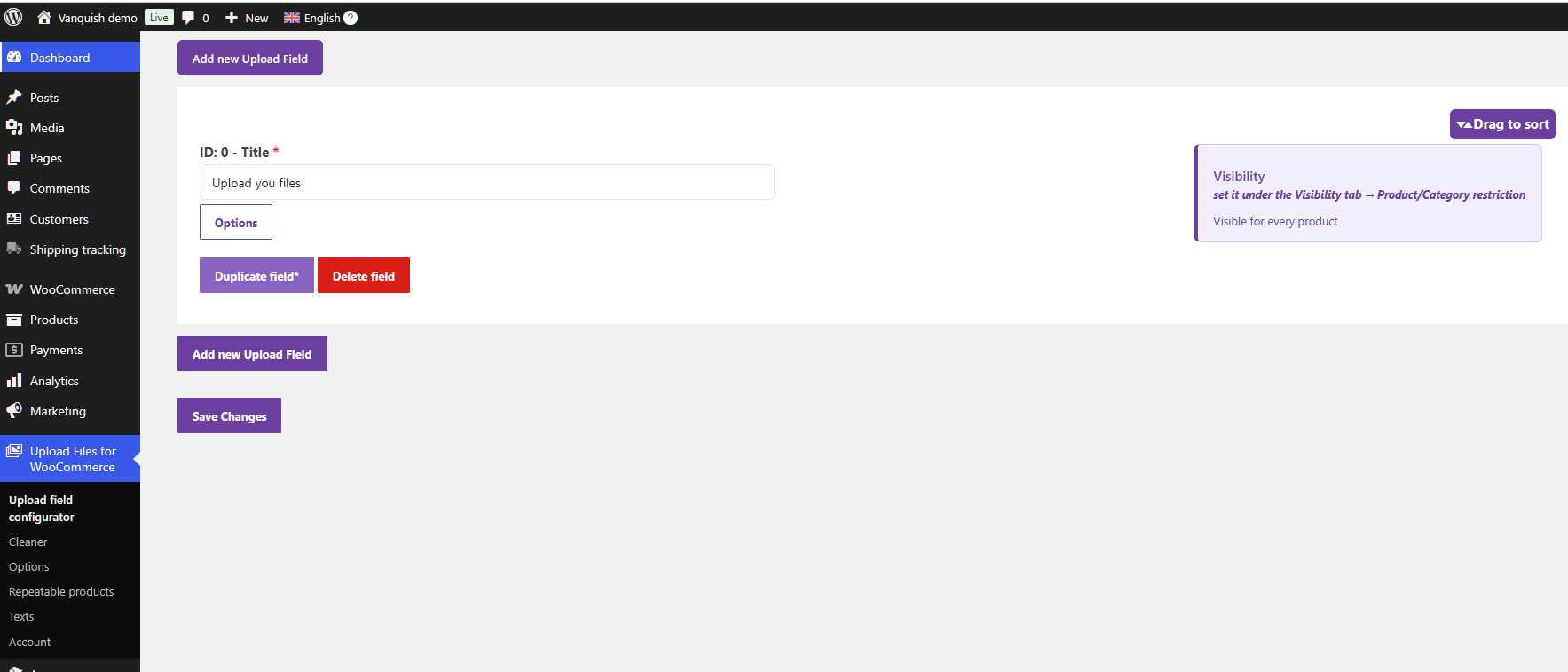
- Go to the Upload Files Configurator menu to create your first upload field.
- Choose on which pages the field appears (product, cart, checkout, order). Fine-grained visibility rules (by product/category, role, gateway, shipping method and time) are available in Premium.
FAQ
-
Does it work without WooCommerce?
-
No. WooCommerce must be installed and active, since uploads are bound to WooCommerce products and orders.
-
Which product types are supported?
-
Native WooCommerce simple and variable products. Custom product types added by third-party plugins are not officially supported.
-
How many files can customers upload in the free version?
-
The free version supports multiple upload fields per product, with one file per field — you configure how many fields to add in the Upload Files Configurator. The separately distributed Premium version adds multiple files per upload field, cloud storage (Dropbox, Amazon S3, Google Drive), the image crop editor and PDF flipbook preview, among other extras.
-
Does it support the block-based cart and checkout?
-
Yes. Both the classic (shortcode) and the block-based WooCommerce cart and checkout are supported. On the block cart/checkout the upload fields appear in the order-summary area.
-
Is it translatable?
-
Yes. All button texts are translatable, and the plugin is WPML-ready — you can set distinct texts per language.
-
Where are uploaded files stored?
-
By default on your own server. Premium adds Dropbox, Amazon S3 and Google Drive as storage destinations.
-
Yes. The Premium version provides shortcodes to render the upload form on any page:
[vanupfi_upload_form]– a generic upload form.[vanupfi_product_page_upload_form]– the product-page upload form.[vanupfi_cart_page_upload_form]– the cart upload form.[vanupfi_checkout_page_upload_form]– the checkout upload form.[vanupfi_upload_form_last_order]– the upload form for the customer’s last order.
Important: when you place one of these forms on a page, enable Disable standard upload-field management for the matching page (in the plugin options) so the upload fields are not rendered twice. For example, if you use the product-page form shortcode, disable standard management for the Product page.
Migrating from the CodeCanyon version? The old
[wcuf_...]shortcodes keep working as aliases of the new[vanupfi_...]ones, so you do not need to edit your product content. -
The shortcode prefix changed from
wcuf_tovanupfi_. Since version 1.0.11 the old tags keep working as aliases, so simply updating the plugin is enough. If you prefer to update your content, the mapping is 1:1:[wcuf_upload_form]->[vanupfi_upload_form][wcuf_product_page_upload_form]->[vanupfi_product_page_upload_form][wcuf_cart_page_upload_form]->[vanupfi_cart_page_upload_form][wcuf_checkout_page_upload_form]->[vanupfi_checkout_page_upload_form][wcuf_upload_form_last_order]->[vanupfi_upload_form_last_order]
-
You can see all Premium plans and prices on the pricing page: https://vanquishplugins.com/migration/pricing/ – single site or 3, 5 and 10 sites, billed monthly, yearly, or once (lifetime). The same plans are also shown inside the plugin, under the „Upgrade“ menu.
-
The CodeCanyon item (WooCommerce Upload Files) has been retired and continues here as the free Vanquish Upload Files for WooCommerce. Existing CodeCanyon customers can convert their purchase into a Premium license – including 1 year of updates and support at no extra cost – on the migration page: https://vanquishplugins.com/migration/
Reviews


Contributors & Developers
“Vanquish Upload Files for WooCommerce” is open source software. The following people have contributed to this plugin.
Contributors

Translate “Vanquish Upload Files for WooCommerce” into your language.
Interested in development?
Browse the code, check out the SVN repository, or subscribe to the development log by RSS.
Changelog
1.0.17
- Minor improvements.
1.0.16
- Minor improvements.
1.0.15
- Fix: resolved a PHP 8 fatal error on the product/cart/checkout and order pages that could occur when the „Info to report in the Totals area“ option had no value saved. Array-type options are now always handled safely.
- Fix: the uploaded-files summary box now renders the file list correctly (with names, previews and download links) instead of showing raw HTML text.
- Hardening: the summary box display setting is treated defensively to avoid any edge-case error.
1.0.14
- Fix: resolved a PHP 8 fatal error on the product page (and cart/checkout) that could occur when the „Disable standard upload-field management“ option had no value saved. The option is now always treated as a list, so the pages render correctly.
1.0.13
- Fix: on WordPress 6.7+, activating the plugin could break front-end product pages (a „translation loaded too early“ notice printed into the page). The admin settings screens are no longer built on front-end requests, which resolves this and also speeds up front-end page loads.
- Internal: removed a small piece of unused, unreachable code.
1.0.12
- Fix: leftover pieces of interrupted uploads were not being cleaned up from the temporary folder. They are now removed once they are more than two hours old.
- Fix: the temporary-file cleanup can no longer remove a file that a shopper has already uploaded and is still using during the same visit.
- Improvement: the clean-up of uploads whose product was removed from the cart no longer runs as a side effect of the cart fee calculation, which makes it predictable and removes a class of edge cases around order completion.
- Internal: removed a leftover admin endpoint (and its unused scripts) from the days when the plugin asked to restore the classic Cart/Checkout templates. Blocks have been supported since 1.0.4.
1.0.11
- Fix: the upload-form shortcodes are now always registered, so WordPress no longer prints the raw
[vanupfi_...]tag on the storefront when the Premium code is not active. Store administrators see a short explanation instead; visitors see nothing. - Improvement: the legacy
[wcuf_...]shortcodes from the CodeCanyon version now work as aliases of the current[vanupfi_...]ones, so migrated sites do not need to edit their product content.
1.0.10
- Fix: uploaded files could be lost (neither moved to the destination folder nor attached to the order) when placing an order through the classic/shortcode checkout while the „Checkout – Files to order association method“ option was set to the „Thank you page“ value. Files are now correctly associated across all checkout types.
- Fix: resolved a PHP 8 fatal error („Unsupported operand types“) that could occur on some configurations while rendering the frontend styles.
- Improvement: more robust parsing of the server PHP size limits (post_max_size / upload_max_filesize) and general dead-code cleanup.
1.0.9
- Internal: updated the HTTP library (Guzzle) bundled with the premium cloud-storage integrations to v7, to prevent version conflicts with other plugins. No functional changes to the free version.
1.0.8
- Internal: Updated the Freemius SDK to the latest version.
1.0.7
- Internal: PSR-4 SPL autoloader for the plugin classes; bootstrap simplified and dead code removed. No functional or user-facing changes.
1.0.6
- Fixed: in the free version the upload area did not appear on the Cart block; it now loads correctly.
1.0.5
- Fixed: on some block-based (FSE) themes the upload area did not appear on the Cart block; the upload fields now load correctly there. The Checkout block was unaffected.
1.0.4
- WooCommerce Cart/Checkout blocks: upload fields now work with the block-based cart and checkout, in addition to the classic (shortcode) templates.
1.0.3
- Internal refactor: introduced PSR-4 namespacing and dropped the legacy class-name prefixes. No functional or user-facing changes.
1.0.2
- First public release on WordPress.org.